Import STEP in one click
Upload your CAD file in the browser. Slimo3D analyzes assemblies, parts, and geometry so you can simplify without opening heavy desktop software.
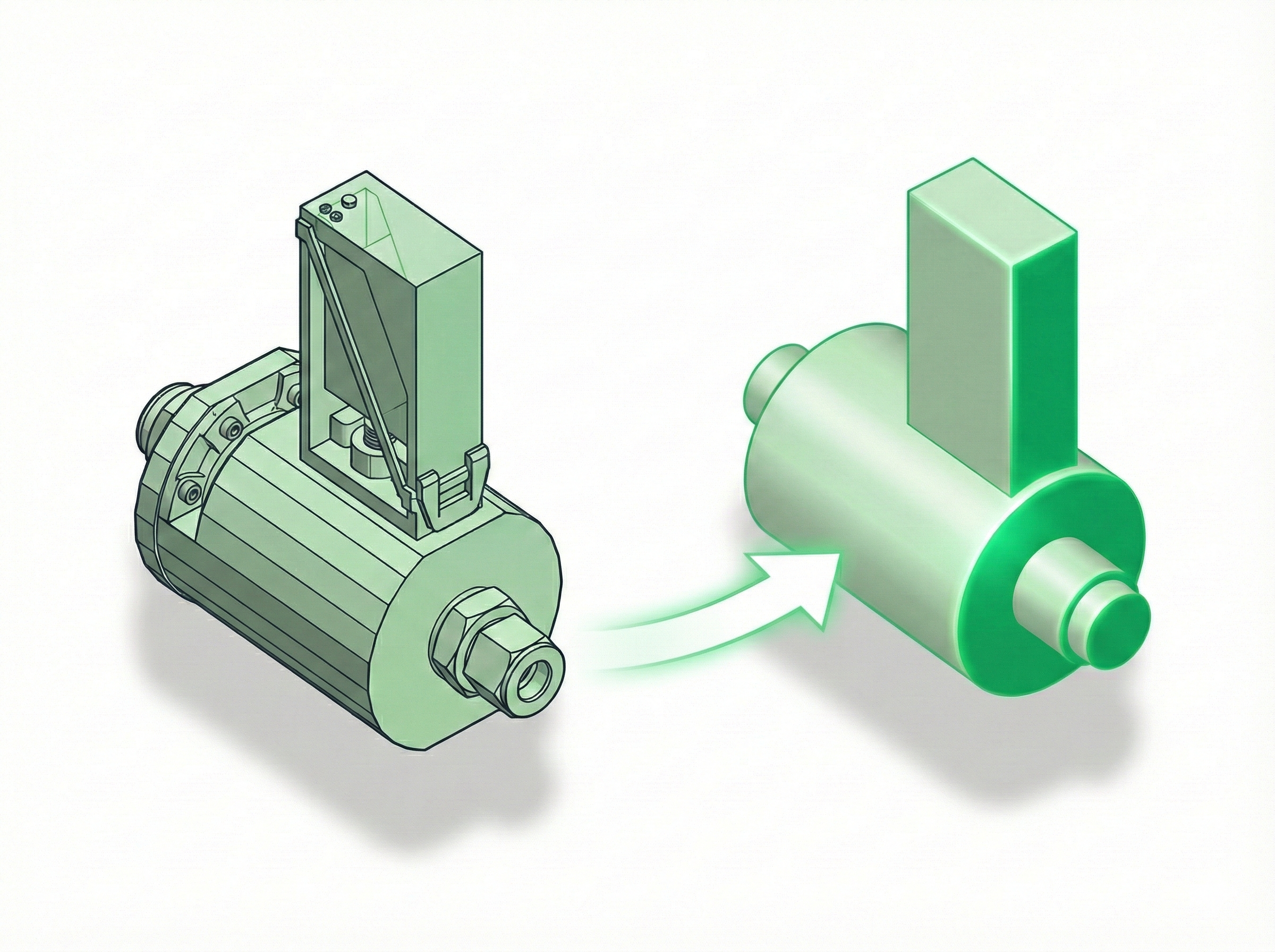
Upload a vendor’s STEP file, replace detailed parts with simple solids, drop the hardware nobody needs, and export a light STEP for your BIM model or your simulation run. No CAD seat, no install, no AI — pure geometry.
Goes into Revit 2025+ · AutoCAD Plant 3D · AVEVA E3D · Cadmatic · your CAE tool
Takes .stp / .step today — more formats on the way.
Free tier: up to 25 MB and 50 parts. Chrome, Edge or Firefox — no plugin, no install.
New version released: v3.00 · 07.10.2026:
Upload your CAD file in the browser. Slimo3D analyzes assemblies, parts, and geometry so you can simplify without opening heavy desktop software.
Get axis-aligned (AABB) and oriented (OBB) bounding boxes instantly. Preview and select which parts to replace—all in the browser.
Use Minimum Bounding Cylinder (MBC) and Minimum Convex Container (MCC) for tighter, more accurate replacements. Preview them free in the viewer; export on Pro.
Export a simplified STEP with selected parts replaced by simple solids. Fewer parts, smaller files, same structure. Export is available on Entry and Pro (Free is preview-only).
No desktop install, no IT tickets. Open the link, upload, and go. Saves time and works on any machine.
Save models to your library and manage exports. Pro adds folders to organize your library, more storage, and longer retention.
Upload your STEP file in the browser. No install required.
Slimo3D analyzes assemblies, parts, and geometry. Get AABB, OBB, and more.
Select parts to replace with simple solids. Preview in real time.
Export a simplified STEP. Fewer parts, smaller files, same structure.
Start for free. No credit card required.
0 €
Try everything in the viewer, no card needed. Export and saved models are on Entry and Pro.
49 €/mo
Billed annually (588 €/yr) or 65 €/mo month-to-month
199 €/mo
Billed annually (2388 €/yr) or 249 €/mo month-to-month
Free previews everything in the viewer but can't export or save. Entry exports AABB/OBB and stores your models. Pro adds MBC/MCC export, Min-Volume (MV), folders, larger files, more exports per day, and same-day support. Add-on packs available for extra models.
Prices in EUR excluding VAT where applicable.
Simplify 3D models in minutes instead of hours, up to 20x faster than manual workflows.
Short answers, before and after you sign up. The full guide is in the app.
Yes. Everything exports as STEP. Revit has supported STEP natively since 2025, and the plant tools have always read it. Open the file in your BIM or CAE tool the same way you open any other STEP.
Yes. Slimo3D is not a CAD modeller — you cannot sketch, pad or edit features here. It does one job: taking a STEP file you already have and making it light enough to use somewhere else. Keep your CAD seat; this is the step after it.
No. Slimo3D runs in the browser. Chrome, Edge, or Firefox — no plugin, no CAD seat.
STEP (.stp or .step). More formats are planned.
No AI. Deterministic geometry — the same assembly gives you the same result, every run.
Yes. Your files are hosted in the EU — Hetzner Cloud in Nuremberg, Germany, on ISO/IEC 27001:2022 certified infrastructure — and they never leave it. Uploads travel over HTTPS. We do not train anything on your geometry, because there is no model here that learns: simplification is deterministic computational geometry. On the Free plan nothing is stored at all. Delete a model from your library at any time. Confidentiality applies to every account under our Terms of Service, and our Privacy Policy sets out what we collect and why. For a signed NDA or a DPA, email sales@slimo3d.com.
In Germany. Slimo3D runs on Hetzner Cloud in Nuremberg (eu-central). Hetzner Online GmbH is a German company with ISO/IEC 27001:2022 certified infrastructure, and Remairk B.V. is Dutch — so your geometry stays in the EU and there is no third-country transfer for anyone to assess.
Confidentiality already applies to every account under our Terms of Service. If your process needs a signed NDA or a DPA, email sales@slimo3d.com.
Yes. After you sign in, open the built-in Tutorial Model. It does not count toward uploads or storage. Exports of it do count toward the daily export limit on paid plans.
No. Free previews everything in the viewer, including MBC, MCC, and Min-Volume. Export and saved models are on Entry and Pro.
MBC is the smallest circular cylinder that encloses a part. MCC — Minimum Convex Container — sweeps a convex profile along an axis, so it can follow a hex head or a keyed shaft that a cylinder cannot. Tighter fit, often a slightly larger file.
No — and this matters. A container is larger than the part it replaces, so anything computing mass from volume × density will be wrong, often by a factor of two or three. If your downstream model does weight or stability calculations, assign the real mass as a property, or exclude simplified items and account for them separately.
AABB follows world axes. Use OBB for a box aligned to the part.
Visibility is not Selected. Uncheck Selected on that part in the model tree to exclude it from export.
Not yet — assign containers at part level today. It is on our list, and we do not publish dates for things we cannot control.
Remairk B.V., the Netherlands. Product: Slimo3D. Support: support@slimo3d.com. Sales: sales@slimo3d.com. Contact.